Ask AI: Free AI Assistant for Real Workflows
Ask questions, draft content, debug code, and build plans in one place. The assistant is free to use, requires no login, and works best when you provide clear context and output requirements.

Ask questions, draft content, debug code, and build plans in one place. The assistant is free to use, requires no login, and works best when you provide clear context and output requirements.
Ask AI combines a live chat assistant with a human-edited guide library. The chat helps you move quickly from question to first draft. The guides help you improve output quality with practical workflows, examples, and review checklists.
Typical tasks include writing professional messages, preparing meeting summaries, planning projects, studying technical topics, and checking code quality. If you already know your goal, start in the chat. If you need a repeatable method, start in the guides hub.
If you searched for "Ask AI", "Ask AI assistant", or "askai.ws", this page is the official starting point for the product and the editorial guide library.
To understand how we maintain content quality, review our Editorial Policy, Editorial Methodology, and the standards section on About Us.
Traditional search is excellent for source discovery, but many everyday tasks require synthesis and structure before action. A conversational assistant can provide a draft plan, comparison table, or summary immediately, then iterate with your constraints.
The strongest results come from specific prompts: goal, context, constraints, and desired format. One focused follow-up is often enough to transform a generic draft into something you can actually use.
Prompt quality determines output quality. A strong prompt is simple: define the outcome, add relevant context, and request a format you can execute. This works for writing, analysis, planning, and coding tasks.
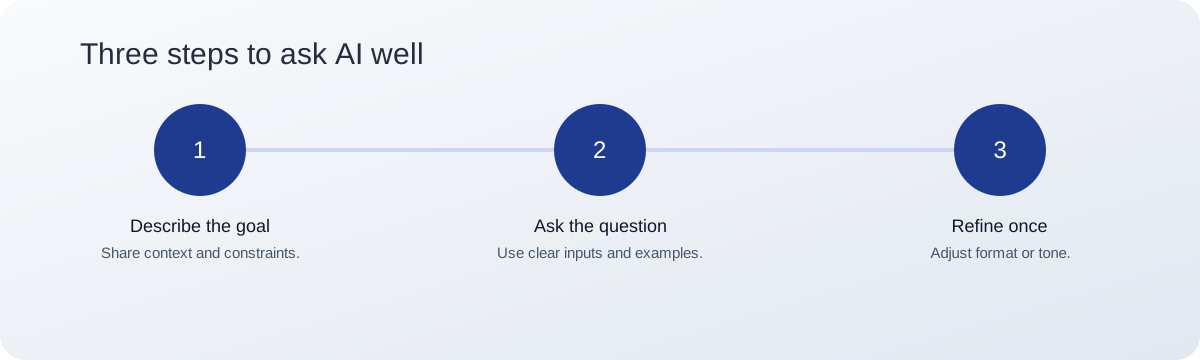
Include examples when possible. For writing tasks, provide one sample paragraph. For coding tasks, include the error message and expected behavior. Specific prompts reduce revision time.
The assistant is useful for both quick tasks and structured workflows. Common use cases include summarization, planning, communication drafts, technical debugging, and decision support.
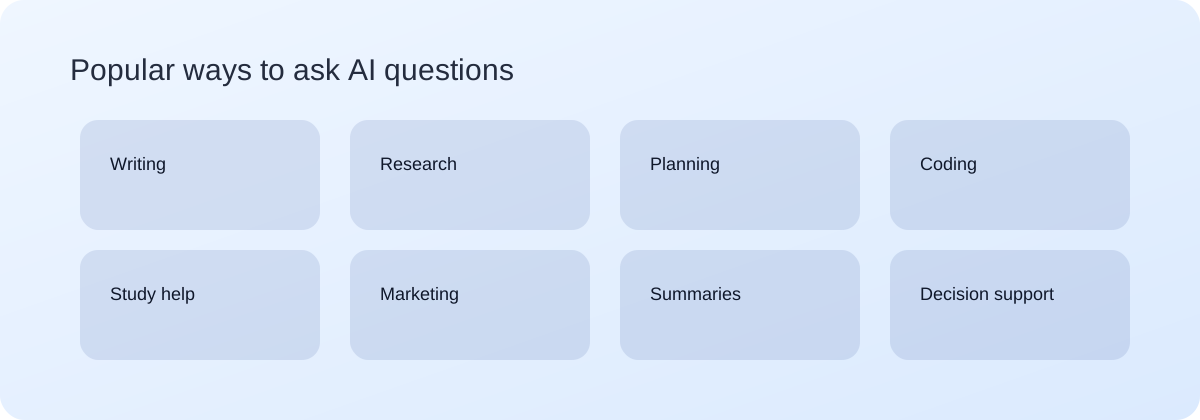
If you want deeper examples, visit Use Cases. For full workflows, open the guide library, where each article covers one task intent and quality checklist.
Chat interactions run in the browser and are not stored on our servers. As with any AI tool, avoid pasting confidential records, credentials, or personal identifiers. Redact sensitive details before submitting prompts.

Use these templates to keep prompt quality consistent. Replace placeholders with your context and constraints.
If the first draft is close but not usable, request one concrete revision, for example: "shorter and more direct" or "convert to a checklist with owners."
You can also draft visual prompts by specifying subject, style, lighting, composition, and brand constraints. This is useful for presentations, campaigns, and concept exploration.

Need inspiration? Try prompts like: "Create a clean product hero image with soft blue lighting" or "Design a minimalist poster for a tech meetup." For more structured examples, visit the guides hub.
Compare models with the same prompt structure and evaluate clarity, factual confidence, and actionability side by side. Start with the getting started guide and reuse that framework for fair comparisons.
Yes. No login is required. Fair-use limits help keep response times stable for everyone.
Use goal, context, constraints, and output format. Example: "Summarize this report for leadership in 5 bullets with one risk note."
Yes. It can draft, rewrite, and polish text for emails, reports, and content briefs.
Yes. Share the error, environment, and expected behavior. Always review and test generated code.
Be specific, add constraints, and provide context. Then refine once for clarity or format.
Chats run in your browser and are not stored on our servers. Avoid sharing sensitive information in prompts.
Ready to start? Open the assistant or explore the full guide library.